

The call comes in: "The pump's making a weird noise and the water's turning green." Your dispatcher logs it, assigns whoever's closest, and the tech rolls out with a standard truck kit. Three hours later the tech calls back — seized motor bearing, wrong motor on the truck, second trip tomorrow. The pool keeps getting worse and the customer's already annoyed.
That gap — between what the dispatcher heard and what the tech actually needed — is where first-time-fix rates fall apart. Most pool operations don't have a diagnosis problem in the field. They have a triage problem at the desk. The information needed to pre-stage the right parts and route the right person was usually sitting in the intake call the whole time. Nobody turned it into a decision.
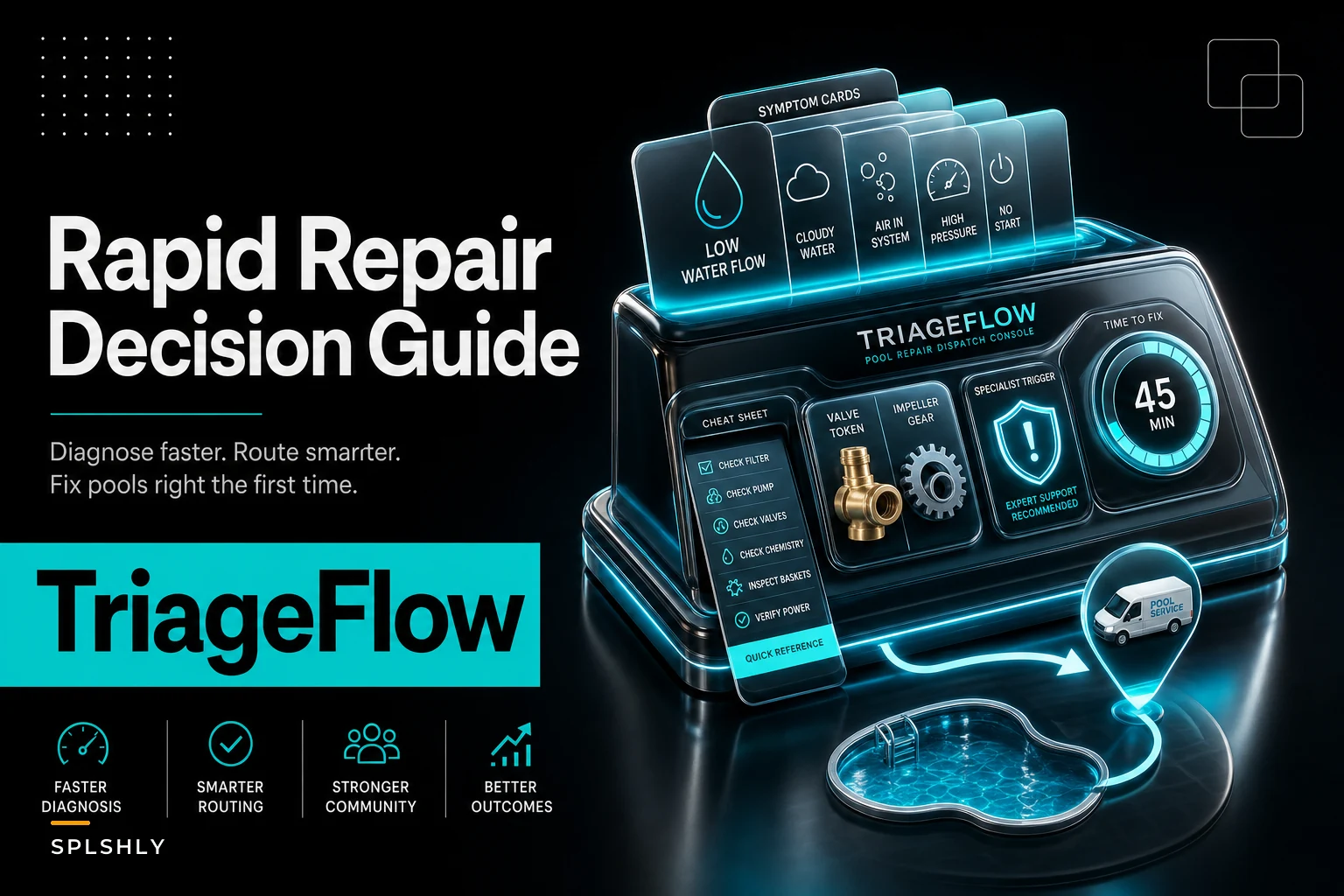
This guide is built for that exact moment: the 90 seconds between hearing a symptom and committing a truck. Below is a symptom-driven reference covering probable cause, what to pre-stage, when to escalate to a specialist, and realistic time-to-fix windows — a dispatcher repair decision guide for pool service that lives at the dispatch desk, not in a training binder nobody opens.
Why the first-time-fix dies at the desk, not in the field
The failure pattern is almost always the same. Intake captures a complaint — "green water," "pump noise," "heater won't fire" — but not the signals that separate a 20-minute fix from a parts-dependent repair. The dispatcher assigns based on availability, the truck goes out with a generic kit, and the tech figures out the real scope on arrival.
-
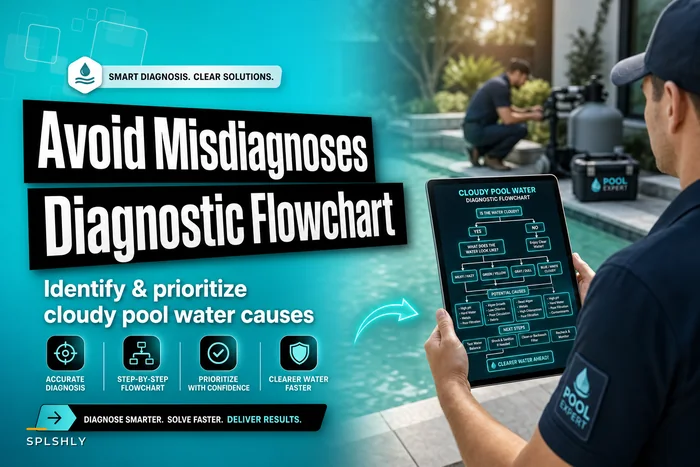
Symptom compression. Customers describe outcomes, not causes. "The water's cloudy" could be a filter issue, a chemistry problem, or a dead pump. If the dispatcher doesn't ask a couple of follow-ups, the tech inherits the ambiguity. For cloudy water specifically, the branching logic in our diagnostic flowchart for cloudy pool water causes does the heavy lifting.
-
Skill mismatch. Your newest tech might be solid on pump rebuilds but has never touched a natural-gas heater ignition board. Route a heater call to him and you've guaranteed a callback regardless of parts.
-
The "I'll figure it out there" assumption. Techs are resourceful, which actually hides the problem. They improvise, patch, and promise a return — and that second trip becomes invisible until you look at repeat-visit numbers at month-end.
Trucks are usually stocked fine for routine work. The breakdown is matching the right parts to this call. A well-stocked truck still fails if the one part this job needs is back at the warehouse. Pairing this guide with a tiered truck stocking plan and seasonal PARs is what actually moves the needle — one handles the baseline, the other handles the exception you need to pre-stage.
How to read this cheat sheet
Each symptom row gives you four things:
Eliminate missed appointments and dispatch delays.
Splshly ensures every pool service is scheduled, tracked, and completed efficiently.
- Unified scheduling dashboard
- Automated customer reminders
- Technician route optimization
No credit card required
-
Probable cause — the most likely one or two culprits, ranked by frequency.
-
Parts to pre-stage — what to physically pull and load before dispatch, beyond the standard kit.
-
Specialist trigger — the condition that means "do not send a generalist."
-
Time-to-fix estimate — realistic on-site windows so the dispatcher can block the schedule correctly.
The whole point is that these decisions get made at intake, not discovered on arrival. Two or three extra questions on the phone usually tell you which row you're in.
The symptom-to-action table
Most dispatchers I've talked to have some version of this logic in their head already — the problem is it lives in one person's head and falls apart the moment that person's out sick or on vacation. Writing it down and keeping it at the desk is what makes it consistent.
| Reported symptom | Probable cause | Parts to pre-stage | Specialist trigger | Time-to-fix (on-site) |
|---|---|---|---|---|
| Pump running but low/no flow | Clogged impeller, air leak at suction, clogged filter | Spare impeller, pump lid O-ring, lube, filter cartridge or DE grids | None — generalist unless motor is involved | 30–60 min |
| Pump loud / grinding / won't start | Seized motor bearings, failed capacitor, bad start winding | Correct HP motor, capacitor set, motor seal kit, shaft seal | Motor swap on 2+ HP or VS pump → send pump-rated tech | 1–2.5 hrs |
| Variable-speed pump throwing error code | Drive/control board fault, overheat, comms failure | Nothing until code is known — get the code on the phone | Almost always → VS-certified tech | 45 min–2 hrs |
| Heater won't ignite (gas) | Igniter, flame sensor, gas valve, pressure switch | Igniter, flame sensor, high-limit switch; gas valve only if confirmed | Gas valve, control board, or venting issue → gas-certified tech | 1–3 hrs |
| Heater short-cycling / tripping | Low flow, dirty flame sensor, bad high-limit, scale on heat exchanger | Flame sensor, high-limit, flow sensor | Heat exchanger replacement → specialist + parts lead time | 1–2 hrs (longer if exchanger) |
| Salt cell "low salt" / low output | Scaled or worn cell, bad flow sensor, end-of-life cell | Replacement cell (if model known), cleaning kit, flow sensor | Cell-to-board compatibility doubt → bring the box tech | 30–75 min |
| Green water + equipment running fine | Chemistry / sanitizer failure, not mechanical | Shock, algaecide, test kit — this is chemistry, not a repair | None, unless filtration is also failing | 30–45 min on-site + follow-up |
| Leaking filter / multiport valve | Spider gasket, worn O-rings, cracked housing | Full O-ring set, spider gasket, multiport rebuild kit | Cracked housing/manifold → order part first, don't roll blind | 45 min–1.5 hrs |
| Automation/controller offline | Power, relay, comms board, actuator | Relays, fuses, actuator — only if cause is narrowed | Board-level or network fault → automation specialist | 45 min–2 hrs |
| Cloudy water, equipment uncertain | Filter, chemistry, or circulation — needs triage | Hold dispatch until follow-up questions narrow it | Depends on branch | Varies — triage first |
Use the table as a starting reference, not gospel. Your region, the brands you service, and your truck baseline will shift the specifics. But the structure — cause, pre-stage, specialist trigger, time window — is what keeps dispatch decisions consistent across different people at the desk.
The intake questions that actually change the dispatch
A symptom table is only as good as the information feeding it. The difference between "pump noise" and "seized 2HP motor" is usually two questions. Here's a tight intake script that maps complaints to the right row:
-
"Is the equipment running at all, or completely dead?" Separates electrical and mechanical failure from flow or chemistry.
-
"Any error codes, lights, or beeping on the panel?" Get the exact code. Codes on VS pumps and heaters route the call almost automatically.
-
"When did it start — gradually or all at once?" Gradual points to wear (bearings, scale, worn cell). Sudden points to a component failure or tripped safety.
-
"What's the brand and roughly how old is the equipment?" Determines whether you can pre-stage a model-specific part or whether you're rolling blind.
-
"Is the water green or cloudy, or does it still look clear?" Separates a repair call from a chemistry visit — those need completely different responses.
That last one matters more than people expect. Chemistry calls dressed up as equipment calls waste a specialist's time. Equipment calls misread as "just add chemicals" turn into emergency callbacks. Two questions sort it.
When to route a specialist — and when it's a trap
Routing a specialist always feels like the safe call, but over-routing carries its own cost. Your heater-certified tech is your most expensive, most schedule-constrained resource. Send him to a clogged impeller and you've burned a slot you'll want back Thursday afternoon.
Route the specialist when:
-
The fault is board-level, gas-valve, or heat-exchanger — anything with safety or warranty implications.
-
A variable-speed drive is throwing codes you can't resolve over the phone.
-
The repair touches gas lines, high-voltage, or bonding and grounding.
-
The equipment is under manufacturer warranty and a non-certified repair voids it.
Do NOT route the specialist when:
-
The symptom maps cleanly to a wear part a generalist can swap — impeller, O-rings, flame sensor, salt cell.
-
It's a chemistry call wearing an equipment costume.
-
You're routing "just in case" because the intake was vague. Fix the intake instead.
The honest mistake most dispatchers make is using specialist routing as a hedge against incomplete information. It's not a hedge — it's an expensive patch over a triage gap. Tighten the intake questions and the routing usually becomes obvious.
A workflow that pre-stages parts before the truck leaves
Here's how the decision flows at a desk that's running this well. It's a short loop, and it happens during or immediately after the intake call.
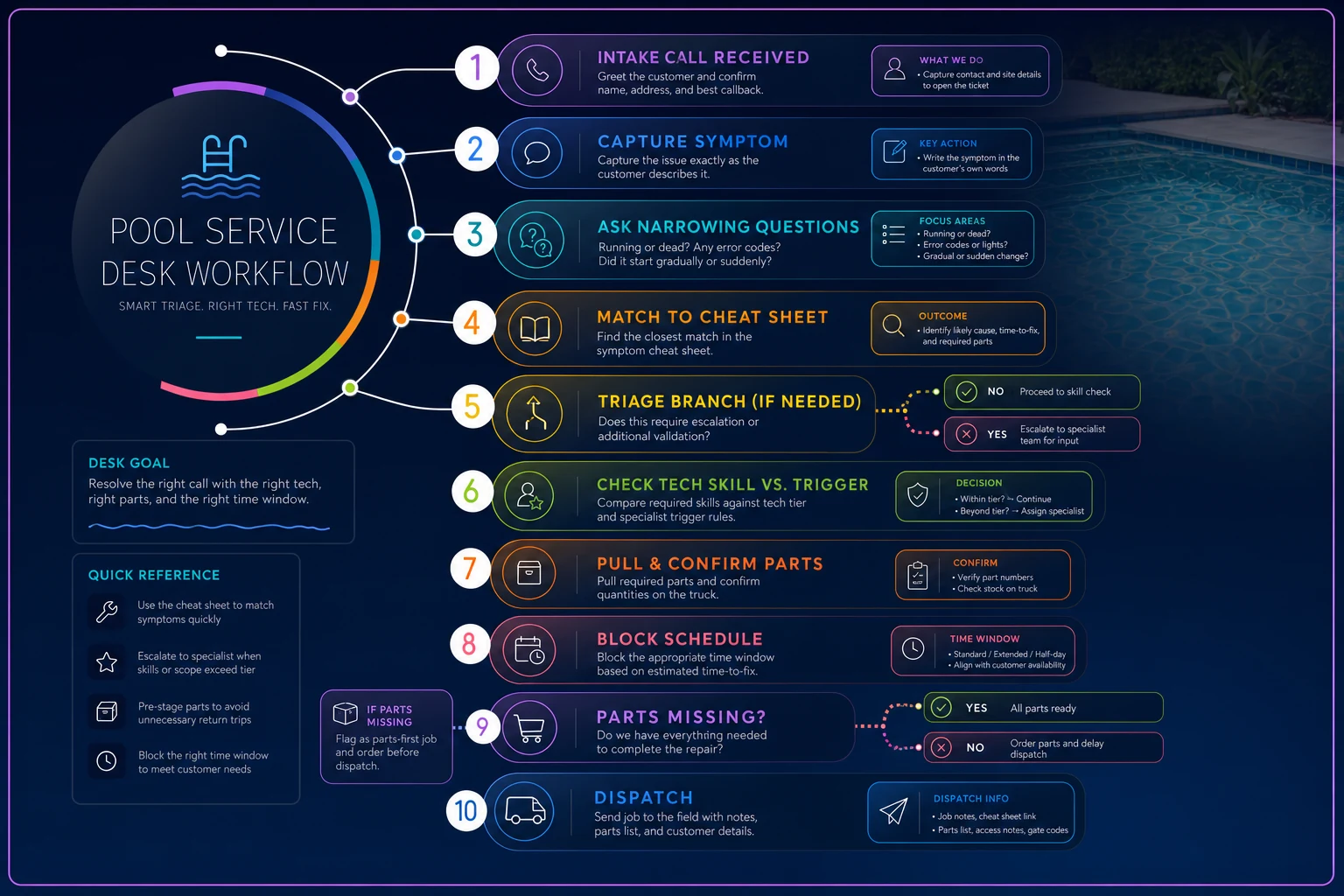
This diagram shows the desk-side decision loop and where parts are confirmed before dispatch.
-
Capture the symptom in the customer's words, then ask the narrowing questions above.
-
Match to a row in the cheat sheet. If the symptom lands in "triage first," don't dispatch yet — get the follow-up answers first.
-
Check the assigned tech's skill tier against the specialist trigger. Reassign now if it's a mismatch, not after the first trip comes back empty.
-
Pull the pre-stage parts from the warehouse and confirm they're physically on the truck — not "should be in the kit."
-
Block the schedule using the time-to-fix window, not a flat one-hour default. A heater ignition call crammed into a 30-minute slot is how the whole afternoon slips.
-
Flag parts you couldn't pre-stage. If the model-specific motor or heat exchanger isn't in stock, you've identified a parts-first job. Order before you roll — don't send the tech to confirm something you already know.
That last step is where a lot of recurring-revenue damage hides. Sending a tech to "diagnose" something you could have confirmed on the phone turns one job into two and delays billing. Tying the parts hold into the job before dispatch is exactly the kind of handoff covered in the quote-to-cash playbook — the diagnosis, the parts hold, and the dispatch should move as one thread, not three disconnected steps.
Real scenario: a five-truck operation that stopped guessing
A mid-sized residential and light-commercial operation — five trucks, mostly suburban routes — was running first-time-fix around 68%. Not terrible on paper, but the repeat visits were clustered in two categories: heaters and variable-speed pumps. Classic parts-and-skills mismatch.
Their fix wasn't complicated. They printed a version of the table above, taped it to the dispatch monitor, and added five intake questions as required fields before a repair job could be assigned. They also color-coded techs by skill tier so the dispatcher could see at a glance who could take a heater ignition call versus who should stay on routine work.
Within a couple of months, first-time-fix on heater and VS-pump calls climbed noticeably — the operator estimated return trips in those categories dropped by roughly a third. The secondary win was scheduling: because the dispatcher was blocking realistic time windows instead of flat hours, the afternoon slippage that used to push jobs into overtime largely went away. No new software, no new hires — just moving the diagnosis decision 30 minutes earlier, to the desk.
The gains came from sequencing, not effort. The information was already in the intake call. They just started using it before the truck left.
Where lightweight automation quietly helps
None of this requires a platform — a laminated sheet and disciplined intake get you most of the way. But once the symptom-to-action logic is written down, it's straightforward to build the same rules into whatever job management system you already run.
The useful move is making the cheat sheet enforce itself: required intake fields before a repair job can be assigned, a flag when a symptom maps to a specialist trigger but a generalist is selected, and an auto-prompt listing the pre-stage parts for that symptom so nothing gets left in the warehouse. AI-powered operational software can go a step further — reading a customer's free-text complaint and surfacing the likely row and follow-up questions, so even a newer dispatcher asks the right things. That's genuinely useful when it's built on top of solid triage logic. If the underlying process is weak, automating it just makes bad dispatches faster.
Make the intake fields required and auto-populate likely pre-stage parts from the complaint text to reduce reliance on memory.
If the underlying process is weak, automating it just makes bad dispatches faster.
The one habit that makes all of this stick
Treat every return trip as a diagnostic event, not just a scheduling annoyance. When a job needs a second visit, log why in one line: wrong part, wrong skill tier, or genuinely couldn't-have-known. After a month, that list tells you exactly where your cheat sheet needs tightening — which symptoms need an extra intake question, which parts belong in the pre-stage column, which skill mismatches keep repeating.
Most operations never do this, which is why they absorb the same return trips season after season. The dispatcher repair decision guide isn't a one-time document. It's a living reference that gets sharper every time a job goes sideways, as long as someone's writing down the reason.
Get the symptom-to-action logic in front of the person committing the truck, ask the two or three questions that actually disambiguate the call, and most of your return-trip problem resolves before anyone turns a key.
Ready to elevate your pool service business?
Join hundreds of pool service professionals using Splshly to save time, optimize routes, and enhance customer satisfaction.