

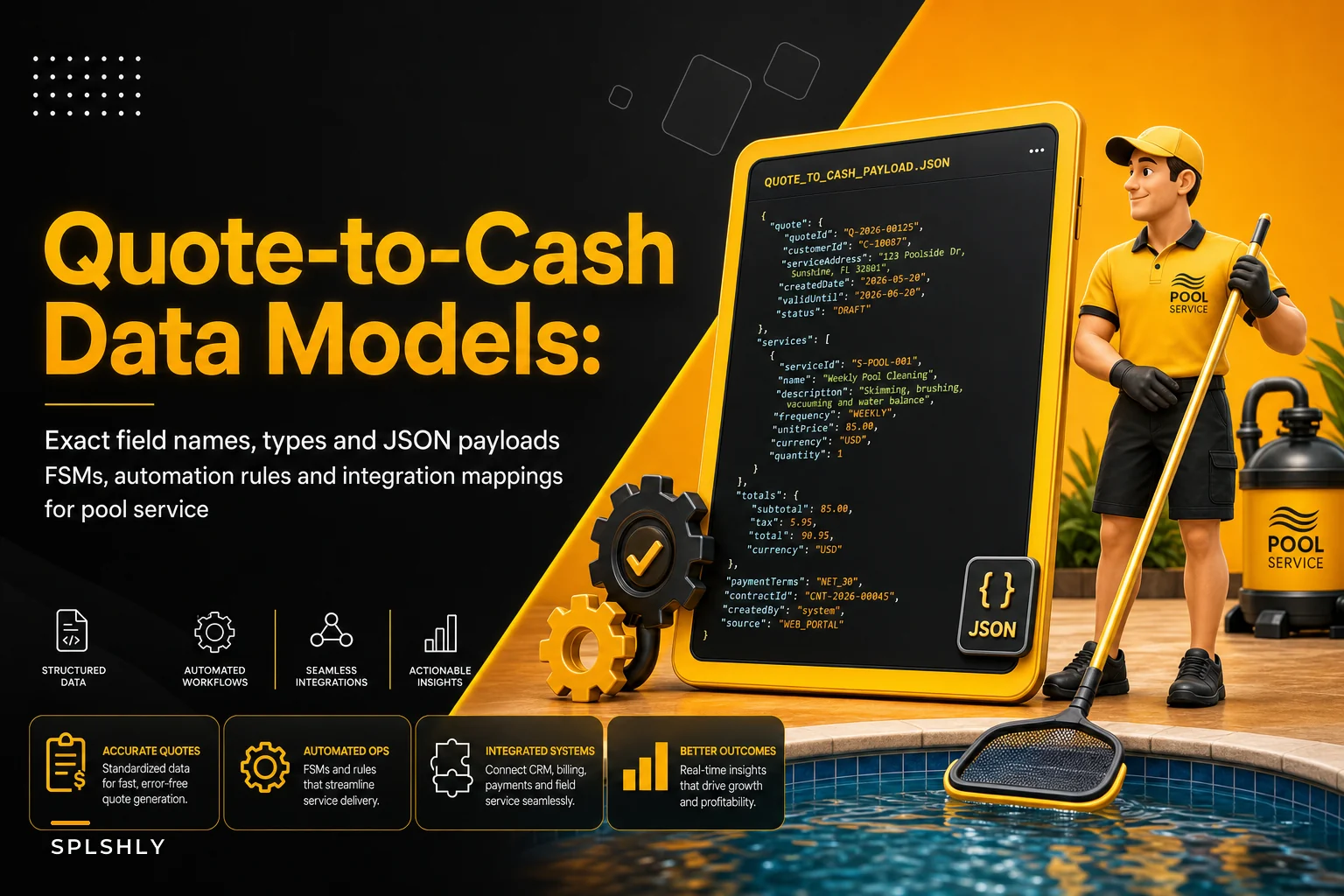

Most quote-to-cash writeups stop at the workflow diagram. Fine for a strategy deck, useless when a developer sits down to wire your CRM to your accounting system and needs to know whether status is an enum or free text, what fires when a part gets received, and what the webhook payload actually looks like.
This is the missing layer. If you've already read the higher-level quote-to-cash playbook that maps estimates, parts-holds, dispatch and collections, this article is the implementation companion — the exact field names, state machines, and rule definitions you can hand to whoever is building or configuring your systems.
Scope is deliberately narrow: six core entities, their status models, the transitions between them, and the automations that connect them for a pool service business. Nothing about pricing strategy, nothing about staffing. Just the data model and the plumbing.
The six entities and why the status field breaks first
Before the schemas, one observation worth internalizing: the thing that quietly wrecks quote-to-cash integrations is inconsistent status vocabulary across systems.
A typical example: the field CRM calls jobstatus = "complete" maps to the accounting system's readyto_invoice, but the inventory system still shows the job's parts as allocated instead of consumed. Nobody notices until month-end reconciliation shows 40 jobs marked done with parts still "on hold." That's not a bug in any single system — it's a missing shared status contract.
Keep
partsourceat the line level (stockedvsspecialorder) and enforce it across integrations.
So the first rule: define enums once, centrally, and force every integration to translate to them. The schemas below assume that contract.
1. Status models and schemas
Estimate
Eliminate missed appointments and dispatch delays.
Splshly ensures every pool service is scheduled, tracked, and completed efficiently.
- Unified scheduling dashboard
- Automated customer reminders
- Technician route optimization
No credit card required
{ "estimateid": "EST-2026-004182", "customerid": "CUST-00913", "siteid": "SITE-01477", "status": "approved", "createdat": "2026-05-11T14:22:00Z", "updatedat": "2026-05-11T16:03:00Z", "expiresat": "2026-05-26T00:00:00Z", "lineitems": [ { "lineid": "L1", "type": "part", "sku": "PMP-STA-1.5HP", "description": "1.5HP variable-speed pump", "qty": 1, "unitprice": 689.00, "partsource": "specialorder" }, { "lineid": "L2", "type": "labor", "description": "Pump R&R", "qty": 2.5, "unitprice": 115.00 } ], "subtotal": 976.50, "tax": 78.12, "total": 1054.62, "approvedby": "customerportal", "linkedjob_id": null }
| Value | Meaning |
|---|---|
draft | Being built, not sent |
sent | Delivered to customer, awaiting response |
viewed | Customer opened it |
approved | Customer accepted |
declined | Customer rejected |
expired | Past expires_at with no response |
converted | A Job was created from it |
Job
{ "jobid": "JOB-2026-002210", "estimateid": "EST-2026-004182", "customerid": "CUST-00913", "siteid": "SITE-01477", "status": "awaitingparts", "assignedtechid": null, "scheduledstart": null, "priority": "normal", "partsrequired": [ { "sku": "PMP-STA-1.5HP", "qty": 1, "fulfillment": "specialorder", "poid": "PO-2026-00788", "partstatus": "onorder" } ], "createdat": "2026-05-11T16:03:00Z", "updated_at": "2026-05-11T16:05:00Z" }
| Value | Meaning |
|---|---|
created | From approved estimate, not yet triaged |
awaiting_parts | Blocked pending part receipt |
readytoschedule | Parts available, needs a slot |
scheduled | On the calendar |
in_progress | Tech on site / working |
completed | Work finished, pending invoice |
invoiced | Invoice generated |
closed | Paid and reconciled |
cancelled | Job killed |
Part
{ "sku": "PMP-STA-1.5HP", "description": "1.5HP variable-speed pump", "onhandqty": 0, "allocatedqty": 0, "reorderpoint": 1, "stocktype": "specialorder", "defaultvendorid": "VEND-0042", "unit_cost": 512.00 }
allocatedqty vs onhandqty is the pairing that keeps trucks honest. A part physically in the warehouse but committed to three jobs is not available, and any rule reading only onhand_qty will happily double-book it.
Purchase Order (PO)
{ "poid": "PO-2026-00788", "vendorid": "VEND-0042", "jobid": "JOB-2026-002210", "status": "issued", "lineitems": [ { "sku": "PMP-STA-1.5HP", "qty": 1, "unitcost": 512.00, "receivedqty": 0 } ], "expecteddate": "2026-05-15", "createdat": "2026-05-11T16:05:00Z" }
| Value | Meaning |
|---|---|
draft | |
issued | |
partially_received | |
received | |
cancelled |
Invoice
{ "invoiceid": "INV-2026-003391", "jobid": "JOB-2026-002210", "customerid": "CUST-00913", "status": "sent", "amountdue": 1054.62, "amountpaid": 0.00, "issuedat": "2026-05-16T18:40:00Z", "dueat": "2026-05-31T00:00:00Z", "paymentlink": "https://pay.example.com/INV-2026-003391", "is_partial": false }
| Value | Meaning |
|---|---|
draft | |
sent | |
viewed | |
partially_paid | |
paid | |
overdue | |
disputed | |
void |
Payment
{ "paymentid": "PAY-2026-006677", "invoiceid": "INV-2026-003391", "amount": 1054.62, "method": "card", "status": "succeeded", "processedat": "2026-05-20T09:12:00Z", "processorref": "ch_3PqX7..." }
| Value | Meaning |
|---|---|
pending | |
succeeded | |
failed | |
refunded |
One field people consistently forget: partsource at the line level (stocked vs specialorder). Half your automation branches depend on it, and if it lives only in the technician's head, none of the downstream rules fire correctly.
2. Finite-state machines and allowed transitions
The enums above only matter if you enforce which transitions are legal. Free-floating status changes are how a Job jumps from awaiting_parts straight to invoiced with no work logged.
Job FSM (allowed transitions only):
created ────────────► awaitingparts (if any line = specialorder & not in stock) created ────────────► readytoschedule (if all parts stocked & allocated) awaitingparts ─────► readytoschedule (on PO fully received) readytoschedule ──► scheduled (tech + slot assigned) scheduled ──────────► inprogress (tech checks in) in_progress ────────► completed (tech marks done + required photos attached) completed ──────────► invoiced (invoice generated) invoiced ───────────► closed (payment succeeded, full) any (except closed)─► cancelled
Everything not listed should be rejected. A useful guard on in_progress → completed: block it unless the required photo shot list is attached — that single constraint prevents a surprising number of later invoice disputes.
Estimate FSM:
draft → sent → viewed → approved → converted
└─► declined
sent/viewed → expired (past expires_at)
No path back from converted. Once a Job exists, changes happen on the Job, not the Estimate. Teams that let both drift out of sync end up billing the wrong scope.
3. Automation rules (trigger → condition → action)
Two formats below: a readable connector-style (Zapier/Workato feel) and a generic rule-engine DSL you can drop into most engines.
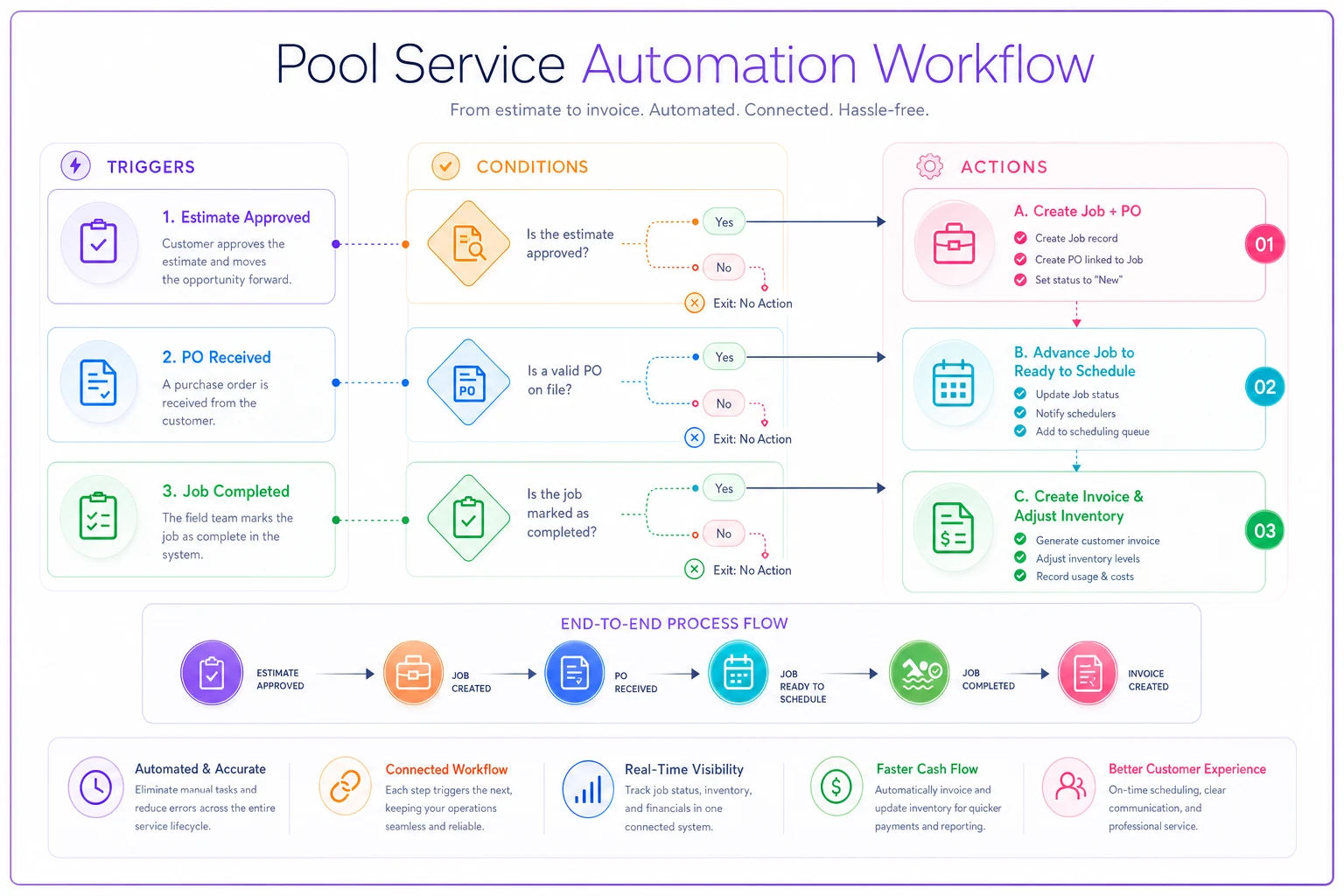
Flow A — Estimate approved → create PO
-
Trigger Estimate
statuschanges toapproved -
Condition any line where
partsource == "specialorder"AND partonhandqty < qty -
Action 1 Create Job (
status = awaiting_parts) -
Action 2 Create PO to
defaultvendorid, linkjob_id -
Action 3 Set line
partstatus = onorder
DSL: RULE estimateapprovedcreatepo WHEN estimate.status -> "approved" IF exists(line in estimate.lineitems where line.partsource == "specialorder" and part(line.sku).onhandqty < line.qty) THEN create job {estimateid: estimate.id, status: "awaitingparts"} create po {vendor: part(line.sku).defaultvendorid, jobid: job.id, sku: line.sku, qty: line.qty} set line.partstatus = "on_order"
Flow B — Part received → update status + notify scheduler
RULE partreceivedadvancejob WHEN po.status -> "received" IF job(po.jobid).status == "awaitingparts" and allpartsavailable(job(po.jobid)) THEN set job.status = "readytoschedule" set part(po.sku).allocatedqty += po.receivedqty notify role:"scheduler" message: "Job {job.id} parts in. Ready to schedule at {site.address}."
Flow C — Tech completes job → generate invoice + send payment link
RULE jobcompletedinvoice WHEN job.status -> "completed" IF job.requiredphotosattached == true THEN create invoice {jobid: job.id, amountdue: job.total, status: "sent", paymentlink: generatelink(job.id)} set job.status = "invoiced" set part(each consumed sku).allocatedqty -= consumedqty set part(each consumed sku).onhandqty -= consumedqty send sms/email to customer with invoice.paymentlink
Here's a simple diagram of the trigger→condition→action flows for the common rules above.
Flow D — Disputed invoice → open dispute workflow
RULE invoicedisputed WHEN invoice.status -> "disputed" THEN create dispute {invoiceid: invoice.id, status: "open"} set job.status = "invoiced" // hold, do not close assign dispute to role:"opsmanager" attach job.photos, job.lineitems to dispute pause dunning_sequence(invoice.id)
Pausing the dunning sequence is easy to forget. Nothing damages a customer relationship faster than automated overdue reminders firing while a dispute is still open.
4. Integration mapping table and payloads
Field-level mapping across the three system layers. This is the translation contract mentioned at the top.
| Concept | CRM / FSM | Inventory / PO | ERP / Accounting |
|---|---|---|---|
| Customer | customer_id | — | ARcustomerref |
| Job / Work order | job_id | job_id (allocation ref) | salesorderno |
| Part | sku | sku | item_code |
| Job complete | status="completed" | consume allocated_qty | trigger readytoinvoice |
| Invoice | invoice_id | — | ARinvoiceno |
| Payment | payment_id | — | cashreceiptid |
| PO | po_id (read) | po_id (master)` | APbillref on receipt |
Sample inbound webhook — PO received (from inventory system):
{ "event": "po.received", "poid": "PO-2026-00788", "jobid": "JOB-2026-002210", "lines": [{ "sku": "PMP-STA-1.5HP", "receivedqty": 1 }], "receivedat": "2026-05-15T11:20:00Z" }
Sample outbound API call — create invoice in accounting:
POST /v1/invoices { "externalref": "JOB-2026-002210", "customerref": "CUST-00913", "lines": [ { "itemcode": "PMP-STA-1.5HP", "qty": 1, "amount": 689.00 }, { "itemcode": "LABOR-STD", "qty": 2.5, "amount": 287.50 } ], "tax": 78.12, "total": 1054.62, "due_days": 15 }
Keep externalref pointing at jobid everywhere. When accounting and CRM disagree, that shared key is what lets you reconcile instead of guessing.
5. Test records and three walk-through scenarios
Seed data for a test environment:
-
CUST-00913 — residential, active
-
SITE-01477 — in-ground pool, variable-speed pump
-
Part
CHL-CELL-T15— stocked,onhandqty=4,reorder_point=2 -
Part
PMP-STA-1.5HP— special order,onhandqty=0 -
VEND-0042 — pump supplier, ~4 day lead
Scenario 1 — Stocked part repair (salt cell replacement)
-
Estimate for
CHL-CELL-T15+ 1hr labor → customer approves. -
Rule A checks
part is
stocked,onhandqty=4 ≥ 1→ no PO. Job created asreadytoschedule,allocated_qtyon the cell goes to 1. -
Scheduled → tech checks in (
in_progress) → photos attached →completed. -
Flow C fires
invoice
INV-...sent, payment link out, cellonhandqtydrops to 3,allocated_qtyback to 0. -
Customer pays → payment
succeeded→ jobclosed.
Expected messages: one customer invoice/payment SMS. No scheduler "parts in" alert, because nothing was on order.
Scenario 2 — Special-order pump with partial invoice
-
Estimate approved. Rule A sees
specialorder+onhandqty=0→ createsPO-2026-00788, job =awaitingparts. -
Customer agrees to a deposit. A partial invoice is issued
amountdue = 1054.62,ispartial = true, first payment of $500 → invoice statuspartially_paid. -
PO received (webhook in Section 4) → Flow B → job
readytoschedule, scheduler notified. -
Job scheduled, completed with photos. Remaining balance invoiced; on full payment invoice →
paid, job →closed.
Expected messages: scheduler "parts in" alert, plus two customer payment touches (deposit, balance). Note the invoice never sits at sent — it moves sent → partially_paid → paid.
Scenario 3 — Warranty claim
-
Job completed under a prior repair, pump fails inside warranty.
-
New Job created with
priority = normalbut flaggedbilling_type = warranty. Estimate total to customer = $0; internal cost still tracked. -
If a replacement part is needed, Rule A still fires a PO — you still consume inventory — but Flow C is modified: invoice generated with
amount_due = 0, status jumps topaid, no payment link sent. -
The vendor warranty credit is tracked as a separate AP adjustment against the PO, not against the customer.
Expected messages: scheduler alert if parts ordered; no customer payment link. This is the branch teams most often get wrong — they either bill the customer by accident or lose track of the vendor credit entirely.
When to enforce the full FSM (and when not to)
Enforce strictly if you run more than a handful of techs, use special-order parts regularly, or reconcile in a separate accounting system. The transition guards are what keep your three systems from drifting.
Skip the heavy version if you're a one- or two-person operation invoicing same-day from a single app. Forcing awaiting_parts and PO objects on a business that never special-orders just adds clicks with no payoff.
Who should not build this from scratch: anyone without a stable shared key across systems. If your CRM and accounting can't agree on a jobid/externalref, fix that first — the fanciest FSM in the world can't reconcile records it can't match.
Closing note
The value here isn't the diagrams; it's the discipline of one status vocabulary, enforced transitions, and a shared key across every system. Get those three right and the automation rules in Section 3 mostly configure themselves. Get them wrong and you'll spend every month-end manually untangling jobs marked done with parts still on hold. Hand this to whoever configures your platform, keep the enums in one place, and test against the three scenarios above before you trust any of it with live invoices.
Ready to elevate your pool service business?
Join hundreds of pool service professionals using Splshly to save time, optimize routes, and enhance customer satisfaction.