

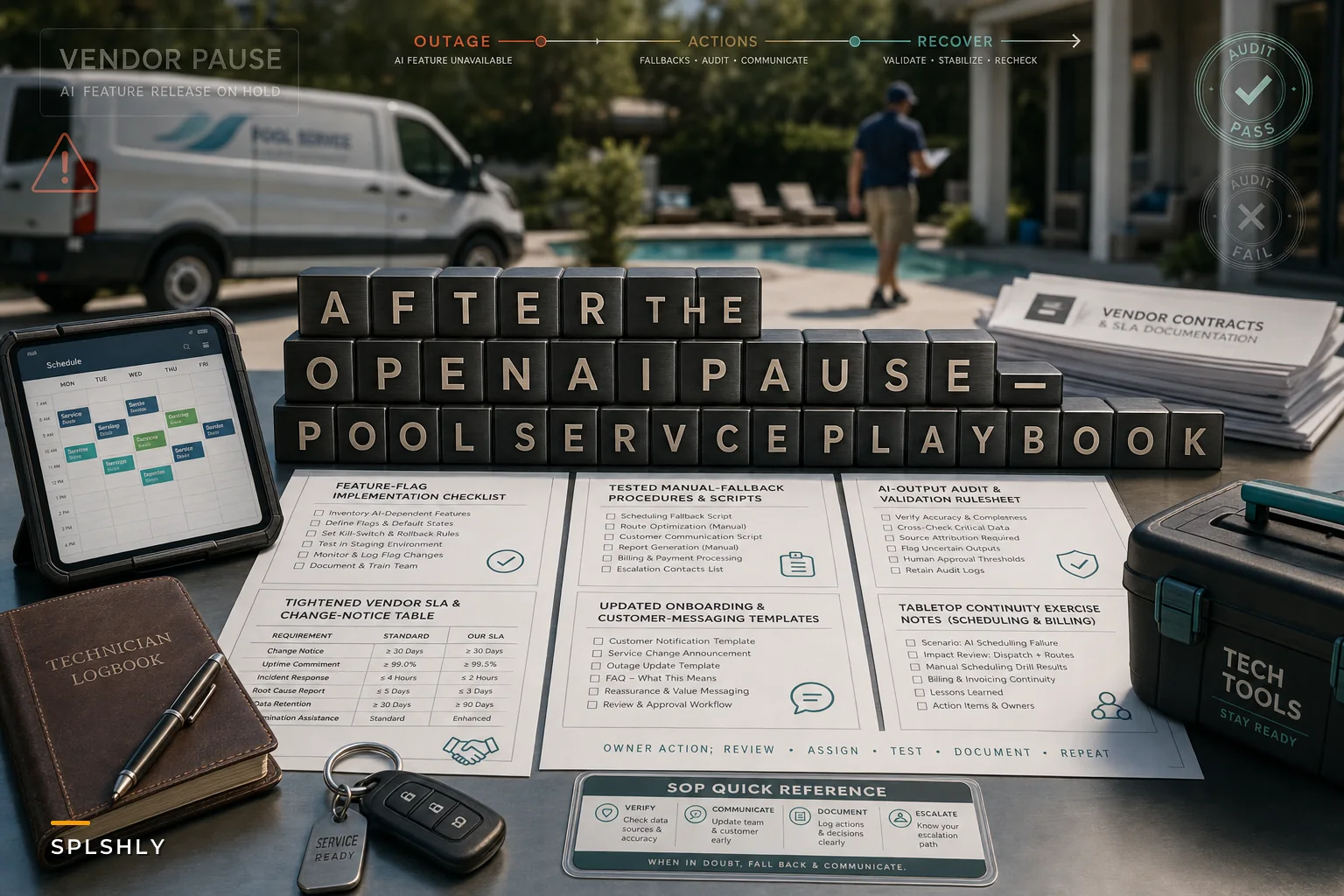

OpenAI shelving its planned GPT‑6.1 Astra model over safety and alignment concerns probably felt like distant tech news to most pool-service operators. Worth paying attention to, though, because a lot of the software you already use leans on third-party AI under the hood — voice-to-text on tech reports, automated chemical dosing suggestions, the "smart" rescheduling your dispatch tool does on rainy mornings. When a major provider pauses or changes a model, as Reuters reported after OpenAI's internal safety tests, the ripple reaches you — sometimes without warning, sometimes buried in a vendor changelog you never opened.
This isn't a doom post about AI. It's about the fact that a feature your billing quietly depends on can degrade, change behavior, or vanish because a company three layers up your supply chain made a decision. If you've never mapped where that exposure lives in your operation, now is a reasonable time to do it.
Why a model pause three states away hits your Tuesday route
Most operators miss this: you don't have an "AI vendor" relationship. You have a software vendor who has an AI vendor. When OpenAI or any major provider changes what a model does — or pulls one, as CNBC covered when OpenAI abandoned the release — your software company has to scramble to re-point to a different model. That new model behaves differently. Transcription accuracy shifts. Summaries get formatted differently. The automated flag that used to catch a missing chemical reading stops catching it.
In real operations, this shows up in weird, non-obvious ways. A tech dictates "added two pounds of cal hypo, pump running loud, recommend bearing replacement" and the report comes back missing the bearing note because the new model summarized aggressively. Nobody notices until the pump fails three weeks later and the customer asks why your guy didn't flag it — when he actually did.
The AI vendor risk isn't that the tech is bad. It's that your workflow silently assumes the AI behaves the same way today as it did last month. That assumption is where money leaks.
The three areas that actually break first
Technician reporting. Voice-to-text and auto-summarization are the most common embedded AI features in pool software, and the most fragile. When the underlying model changes, you get subtle accuracy drops, dropped detail, or reformatting that breaks your downstream parsing.
Eliminate missed appointments and dispatch delays.
Splshly ensures every pool service is scheduled, tracked, and completed efficiently.
- Unified scheduling dashboard
- Automated customer reminders
- Technician route optimization
No credit card required
Billing. If any part of your invoice generation pulls from AI-structured report data — line items derived from a transcribed visit, auto-tagged repair work — a model change can mean mis-coded charges or missing billables. Underbilling is hard to catch. It just quietly costs you.
Dispatch and scheduling automation. Some tools use AI to predict visit duration, re-sequence routes, or auto-reschedule. If that logic shifts, you can end up with overbooked techs or missed SLA windows before anyone realizes the behavior changed.
Here's a quick way to think about exposure by feature type:
| Feature | How it usually fails | Blast radius | How fast you'll notice |
|---|---|---|---|
| Voice-to-text reports | Accuracy drop, dropped details | Tech reports, QA, disputes | Days to weeks |
| Auto-summary of visits | Over-compression, lost flags | Customer trust, repair approvals | Weeks |
| AI-derived billing line items | Mis-codes, missing charges | Revenue, disputes | Often a full billing cycle |
| Predictive scheduling | Bad time estimates, overbooking | SLA, tech morale | Same day |
| Automated diagnostics | Wrong priority or cause | First-time-fix, callbacks | 1–2 visits later |
The pattern worth noticing: the features that cost you the most money — billing specifically — are also the slowest to reveal a problem. That combination is where things get expensive.
The underlying problem: no fallback, no change notice
Two gaps turn a vendor hiccup into an operational mess.
First, no manual fallback. When a crew has forgotten how to write a complete visit note by hand because the app always did it, a feature outage doesn't just slow things down — it produces garbage data for the duration. And garbage data is worse than no data, because it looks real.
Second, no change visibility. Most operators have never asked their software vendor a basic question: "When your AI provider changes a model, do you tell us?" The honest answer from a lot of vendors is no, or "it's in the changelog." You're running your billing on a system that can change behavior without notifying the people whose revenue depends on it.
A typical example looks like this: a five-truck operation running around 340 recurring stops a month suddenly has transcription quality drop after a backend model swap. Nobody announced it. For roughly three weeks, visit notes are shorter and missing equipment observations. Two pump issues go unflagged, turning into emergency calls. Call it $600–$900 in avoidable labor plus two annoyed customers — all from a change nobody mentioned.
The checklist: protect routes, billing, and reporting now
This is the part to actually do this week. Short on purpose.
-
- Inventory your AI-dependent features. List every feature that uses AI — voice-to-text, summaries, diagnostics, scheduling, billing automation. If you're not sure, ask your vendor directly which features use third-party models.
-
- Ask the change-notice question in writing. Email your software vendor: "Do you notify customers when an underlying AI model changes? What's your SLA on feature availability?" Keep the reply.
-
- Turn on manual fallbacks for reporting. Make sure techs can submit a complete visit note without AI assistance. Test it. If the "manual mode" is clunky or hidden, that's a problem to solve before you need it.
-
- Tighten validation on anything that touches billing. Add a human check on AI-derived line items until you trust the current model behavior. Spot-check 10–15 invoices per cycle against raw visit data.
-
- Build a required-fields rule for tech reports. Chemical readings, equipment condition, recommended work — these should be mandatory fields that don't depend on AI summarization to capture.
-
- Write the customer communication template now. A short "our system is undergoing maintenance, here's what to expect" message beats improvising during an outage.
-
- Keep a 48-hour manual dispatch plan. Know how you'd route and schedule if predictive scheduling went sideways for two days.
Keep a 48-hour manual dispatch plan ready and tested.
A quick 5-step audit workflow
A quick 5-step audit workflow
If you want a repeatable process instead of a one-time scramble:
-
1. Map. Pull up every automated or AI feature and write down what breaks downstream if it fails.
-
2. Rank. Sort by money and speed-of-detection. Billing and anything slow-to-notice goes to the top.
-
3. Fallback. For the top items, confirm there's a manual path and that a real human has tested it in the last 30 days.
-
4. Validate. Add a sampling check — a handful of reports or invoices per cycle — comparing AI output against raw field data.
-
5. Re-check quarterly. Model behavior drifts. A fallback you tested in spring may be broken by fall.
The validation step is where most of the protection actually lives. You're not trying to catch every error — you're trying to notice when the behavior changes, early enough to react. This is the same muscle covered in our deeper piece on automated audit rules and in-field corrections for technician reports — structured validation rules catch data problems whether they come from a tired tech or a swapped AI model. The source of the error doesn't matter. The audit rule catches it either way.
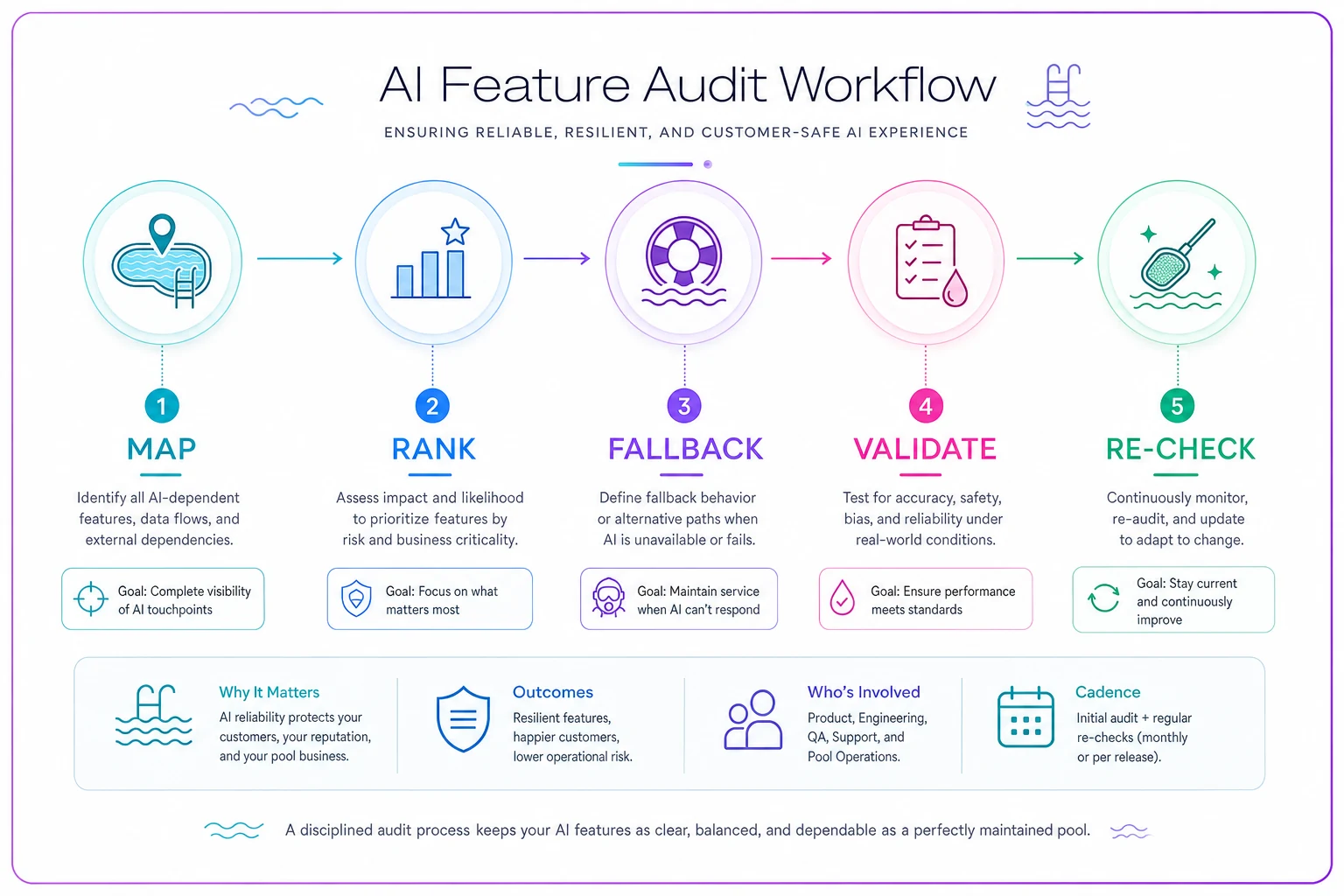
A quick visual to follow the five steps.
When leaning on third-party AI makes sense — and when it doesn't
When it makes sense: You use AI to speed up tasks that have a clear human backstop. Voice-to-text that a tech reviews before submitting. Summaries that supplement, not replace, structured fields. Scheduling suggestions a dispatcher approves. In these setups a vendor hiccup slows you down but doesn't corrupt your data.
When it's a bad idea: You let AI output flow straight into billing or customer-facing communication with no human review. That's the setup where a silent model change costs you real revenue before you notice. If your invoices are generated from AI-structured data and nobody checks them, you've handed your cash flow to a decision made by a company you don't have a contract with.
Who should slow down: Any operation where a single person owns dispatch, billing, and QA. If you're that stretched, layering on more AI automation without fallbacks means one person now can't catch failures across three systems at once. Build the manual safety nets first, then automate.
Real scenario
A mid-sized residential pool service — around 290 recurring accounts, four techs — had built their billing to pull line items from AI-processed visit reports. Clean setup, saved real admin time. Then a backend model change (never announced) started mis-tagging filter cleans as routine visits. Underbilling, not overbilling, so no customer ever complained.
They caught it after roughly six weeks, during a random invoice spot-check the owner did on a slow Friday. The leak was somewhere around $1,100–$1,400 in unbilled work across that window. After that, they added a simple rule: every invoice with an AI-derived repair line gets a quick human glance against the raw note before it goes out. Maybe 20 minutes added per billing cycle. The underbilling stopped, and they now notice within days instead of weeks whenever the system's behavior shifts.
The fix wasn't abandoning AI. It was refusing to let AI output reach revenue without a human checkpoint.
The takeaway for operators
The OpenAI pause is a reminder, not a crisis. Model providers will keep changing, pausing, and updating what they ship — that's just where the technology is right now. Your job isn't to predict those changes. It's to make sure that when they happen, your routes still run, your invoices stay accurate, and your tech reports keep capturing what actually happened at the pool.
Do the feature inventory. Ask your vendor the change-notice question. Test your manual fallbacks before you need them. Put a human checkpoint between AI output and anything that touches money. None of this takes long, and all of it means the next quiet model swap three layers up your supply chain becomes a minor annoyance instead of a six-week revenue leak you find by accident on a Friday afternoon.
Ready to elevate your pool service business?
Join hundreds of pool service professionals using Splshly to save time, optimize routes, and enhance customer satisfaction.